
Library Card Validation via SIP2 and 7 Other Updates
We’re thrilled to announce additional enhancements to the WhoFi suite of services. Many of these updates were suggested directly by users and are designed to help you better manage your spaces and serve your community more effectively.
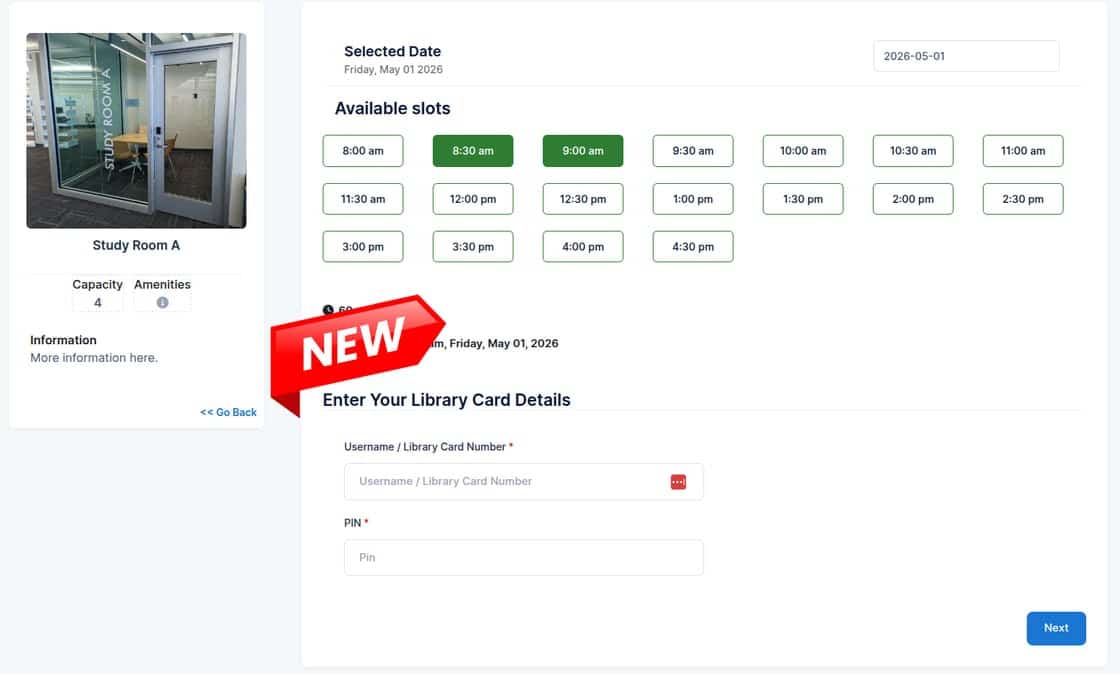
Library Card Verification for Patrons
Partners had requested the ability to link their WhoFi account with their ILS and verify patron card holders before they (in any desired combination):
-
Register for a program
-
Request to book a space
-
Request to reserve a pass
You can now enable ILS integrations in your account by contacting your support representative. WhoFi currently has integrations available for SirsiDynix, Koha, or SIP2, and are happy to grow the list as needs arise.
7 Other Updates
Attendance Breakdowns
Some users of WhoFi requested the ability to enter a breakdown of their program attendance by age, such as counting how many children vs. adults attended. While the age group data isn’t a requirement for state reporting, libraries have let us know that it is essential for local decision-making and advocacy.
Syncing Data from Spaces and from Summer Reading Programs into Question Sets
Currently, WiFi and Community Calendar data sync nightly into Question Sets. Several libraries have requested that Spaces usage and summer reading data should sync as well.
While not every state currently requires this information, it has increasingly been included in annual surveys over time and is often tracked locally through custom Question Sets. Now, this data will sync automatically within your account. This further automates data collection, reduces manual reporting effort, and improves accuracy for both state and local reporting. Check this out in your Question Sets to see it in action!
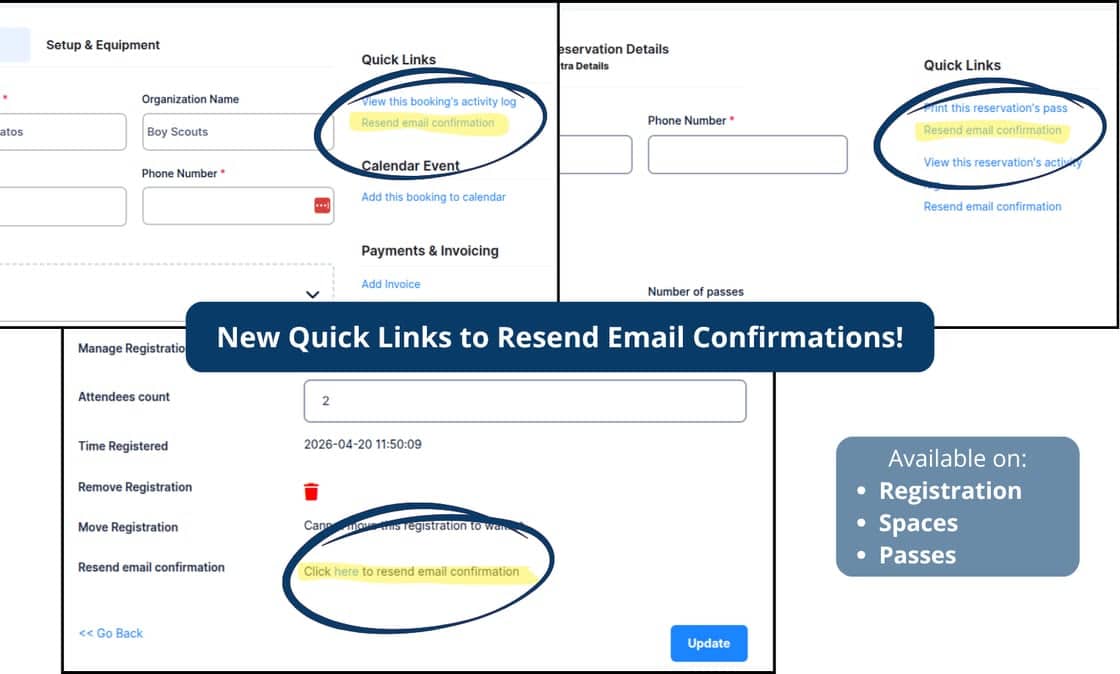
Resend Confirmation Emails
Feedback from users requested a one-click button to resend any confirmation emails to patrons. You’ll find these links at the bottom when you edit a patron’s registration, and on the right when you open a submitted booking or review a pass request.
New Default Option for Organization Names in Spaces
We’ve introduced a new default setting in Spaces that allows bookings to be associated with an organization name rather than an individual patron. When this option is enabled:
-
The Organization Name field is automatically populated internally.
-
The organization name is displayed in place of the patron name on bookings.
-
Staff can more easily search, filter, and manage reservations by group or organization.
This enhancement is especially helpful for libraries that frequently manage bookings for community groups, nonprofits, and schools or recurring organizations.
And More!
We also made several other enhancements based on your feedback:
-
Bulk editing: Recurring Space bookings can now be bulk-edited for easier mass changes.
-
Custom booking form questions: These are now open by default when editing or adding a booking, so they aren’t missed.
-
Invoice improvements: Cleanups and improvements were made to the invoices sent to patrons.
